獎別中獎號碼

特別獎
1,000 萬元
40148354
同期統一發票收執聯8位數號碼與上列號碼相同者獎金1,000 萬元


特獎
200 萬元
64348046
同期統一發票收執聯8位數號碼與上列號碼相同者獎金200 萬元


頭獎
20 萬元
64782404、88904036、17250629
同期統一發票收執聯8位數號碼與上列號碼相同者獎金20 萬元


二獎
4 萬元
同期統一發票收執聯末7 位數號碼與頭獎中獎號碼末7 位相同者各得獎金4 萬元


三獎
1 萬元
同期統一發票收執聯末6 位數號碼與頭獎中獎號碼末6 位相同者各得獎金1 萬元


四獎
4 千元
同期統一發票收執聯末5 位數號碼與頭獎中獎號碼末5 位相同者各得獎金4 千元


五獎
1 千元
同期統一發票收執聯末4 位數號碼與頭獎中獎號碼末4 位相同者各得獎金1 千元


六獎
2 百元
同期統一發票收執聯末3 位數號碼與頭獎中獎號碼末3 位相同者各得獎金2 百元


增開六獎
2 百元
516
同期統一發票收執聯末3 位數號碼與上列號碼相同者各得獎金2 百元


Conan 發表在 痞客邦 留言(0) 人氣()

TextBlock and TextBox by setting TextWrapping = "Wrap" attribute to make the text exceeds the width of the control automatically wrap. The default is nowrap.
<TextBlock HorizontalAlignment="Left" TextWrapping="Wrap" Text="TextBlock" VerticalAlignment="Top"/>

Conan 發表在 痞客邦 留言(0) 人氣()

Sample:
 
using Windows.UI.ViewManagement;

Conan 發表在 痞客邦 留言(0) 人氣()


The example creates an ImageBrush and sets the ImageSource to an image named people.png, which you must include as a resource in the app. The ImageBrush then paints the area defined by an Ellipse shape.
<Ellipse Height="200" Width="200">
<Ellipse.Fill>
<ImageBrush ImageSource="people.png" />
</Ellipse.Fill>
</Ellipse>

Conan 發表在 痞客邦 留言(0) 人氣()

The solution:
1. Remove the Visual C++ 2010 Redistributable Package version 10.0.40219 (Service Pack 1) from the system (both x86 and x64 if applicable). This can be easily done via a command-line with administrator rights:

MsiExec.exe /passive /X{F0C3E5D1-1ADE-321E-8167-68EF0DE699A5}
MsiExec.exe /passive /X{1D8E6291-B0D5-35EC-8441-6616F567A0F7}


2. Install the DirectX SDK (June 2010)


3. Reinstall the Visual C++ 2010 Redistributable Package version 10.0.40219 (Service Pack 1). On an x64 system, you should install both the x86 and x64 versions of the C++ REDIST. Be sure to install the most current version available, which at this point is the KB 2565063 with a security fix.


Reference:

Known Issue: DirectX SDK (June 2010) Setup and the S1023 error

Conan 發表在 痞客邦 留言(0) 人氣()


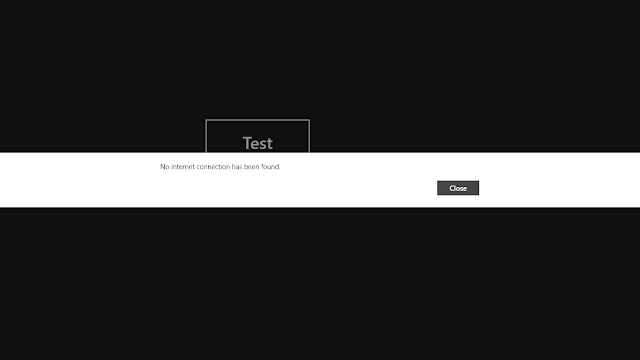
You can use the MessageDialog class to Represents a dialog.
public sealed class MessageDialog : Object

Conan 發表在 痞客邦 留言(0) 人氣()


獎別中獎號碼

特別獎
1,000 萬元
13393774
同期統一發票收執聯8位數號碼與上列號碼相同者獎金1,000 萬元


特獎
200 萬元
25894576
同期統一發票收執聯8位數號碼與上列號碼相同者獎金200 萬元


頭獎
20 萬元
43792479、01973003、71347425
同期統一發票收執聯8位數號碼與上列號碼相同者獎金20 萬元


二獎
4 萬元
同期統一發票收執聯末7 位數號碼與頭獎中獎號碼末7 位相同者各得獎金4 萬元


三獎
1 萬元
同期統一發票收執聯末6 位數號碼與頭獎中獎號碼末6 位相同者各得獎金1 萬元


四獎
4 千元
同期統一發票收執聯末5 位數號碼與頭獎中獎號碼末5 位相同者各得獎金4 千元


五獎
1 千元
同期統一發票收執聯末4 位數號碼與頭獎中獎號碼末4 位相同者各得獎金1 千元


六獎
2 百元
同期統一發票收執聯末3 位數號碼與頭獎中獎號碼末3 位相同者各得獎金2 百元


增開六獎
2 百元
997
同期統一發票收執聯末3 位數號碼與上列號碼相同者各得獎金2 百元


Conan 發表在 痞客邦 留言(0) 人氣()

Add the following xaml tag
<SolidColorBrush x:Key="ListViewItemSelectedBackgroundThemeBrush" Color="#FF8FC249"/>
<SolidColorBrush x:Key="ListViewItemSelectedPointerOverBackgroundThemeBrush" Color="#DE8FC249"/>
<SolidColorBrush x:Key="ListViewItemSelectedPointerOverBorderThemeBrush" Color="#AB8FC249"/>

Conan 發表在 痞客邦 留言(0) 人氣()

Recently, in the study the Facebook API, try to find a feed/data, but I feed data no contents, run the following program, there will be the Additional Information: Can not perform runtime binding on a null reference ":
dynamic feeds = await fbClient.GetTaskAsync(strID + "?fields=feed");
foreach (var data in feeds.feed.data)
{
...
}

Conan 發表在 痞客邦 留言(0) 人氣()

You can use the following function:
Scrolls the list to bring the specified data item into view.
>public void ScrollIntoView(
object item
)

Conan 發表在 痞客邦 留言(0) 人氣()

使用Google
Search: windows store app 如何package
找到一篇不錯的文章:
    如何在未安裝 Visual Studio 2012 的機器上測試 Windows Store App
    http://blogs.msdn.com/b/mengtsai/archive/2013/03/05/visual-studio-2012-windows-store-app.aspx

Conan 發表在 痞客邦 留言(0) 人氣()

In the main function, i modified the some code:
LONG _style = GetWindowLong(hWnd, GWL_STYLE);
LONG _exStyle = GetWindowLong(hWnd, GWL_EXSTYLE);

// remove window frame and window caption
_style &= ~(WS_CAPTION | WS_THICKFRAME);
_exStyle |= WS_EX_TOOLWINDOW;

// To remove taskbar item (Very important)
ShowWindow(hWnd, SW_HIDE);

SetWindowLong(hWnd, GWL_STYLE, _style);
SetWindowLong(hWnd, GWL_EXSTYLE, _exStyle);

//auto adjust to screen size
SetWindowPos(hWnd, NULL, 0, 0, GetSystemMetrics(SM_CXSCREEN),
GetSystemMetrics(SM_CYSCREEN), 0);
ShowWindow(hWnd, SW_SHOW);

Conan 發表在 痞客邦 留言(0) 人氣()

1 2
Blog Stats
⚠️

成人內容提醒

本部落格內容僅限年滿十八歲者瀏覽。
若您未滿十八歲,請立即離開。

已滿十八歲者,亦請勿將內容提供給未成年人士。